429 Errors Explained
Last updated: September 15, 2026
The 429 error means one of several separate limits was reached. Read the message text in the response body to distinguish them.
Requests per second. Your plan's rate, listed as "Requests per second" on the pricing page.
Method rate limits. A limit on a specific method rather than on the endpoint as a whole.
Concurrent connections. A ceiling on how many requests are open at the same time. This one is reached by how many requests are in flight, not by how many you send per second.
Add-on limits. An add-on carries its own allowance, separate from your endpoint's plan, and some are counted per month rather than per second.
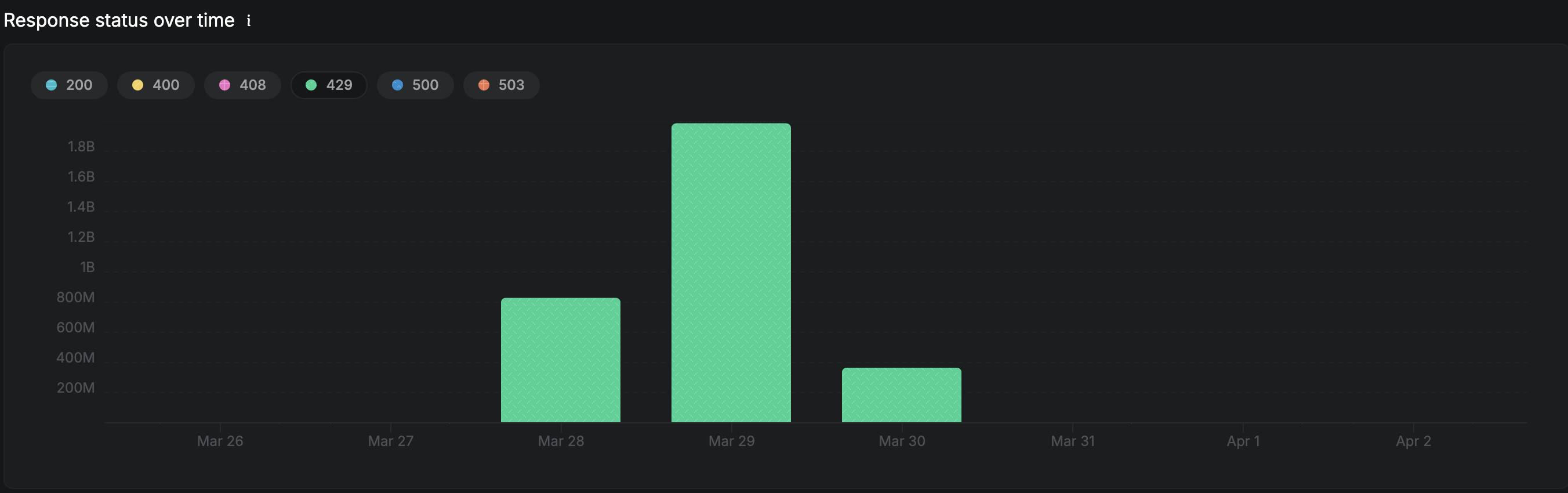
Exceeding the limit will result in a 429 Error, 429 Client Error: Too Many Requests. You can view these errors on your Metrics (Endpoints > endpoint-name-example > Metrics)
Batching does not reduce your request rate. A JSON-RPC batch is counted by the number of calls inside it, rather than as a single request, so one HTTP POST carrying 50 calls counts as 50 against your per-second limit.
Preventing the error
You can deal with these 429 errors in many different ways:
Monitor the RPS usage: benchmark your code and adjust accordingly;
Implement a backoff logic: when experiencing the 429 error, wait a period of time before resuming;
Use a third-party package to throttle based on a fixed number, such as