How to redeem a coupon?
Last updated: August 18, 2025
If you have a coupon code, you can apply it during the checkout process to receive a discount on your QuickNode plan. Coupon codes are redeemable on the checkout page, after you've selected your plan.
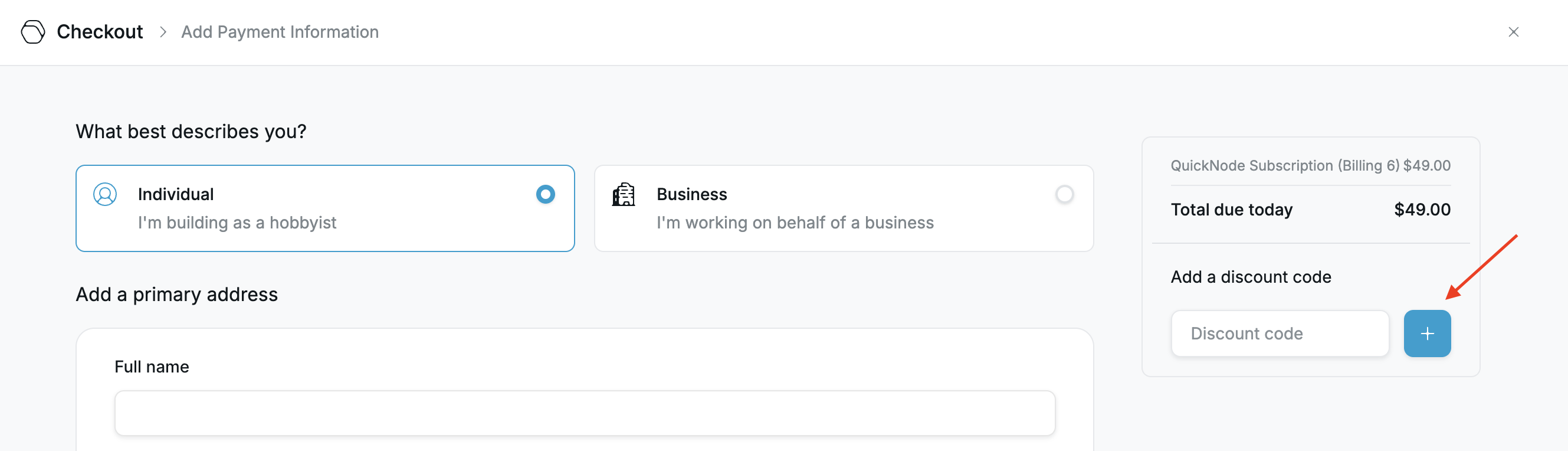
In the checkout page:
Under “Add a discount code,” paste your coupon into the text box.
Click the blue plus (+) button next to the box to apply the code.
⚠ Important: Just pasting the code in the field will not apply it. You must click the plus sign to activate the discount.
Once applied, the discount will be reflected in your total before completing the payment.