How do I reset my account password?
Last updated: February 5, 2026
If you’ve forgotten your Quicknode account password, you can reset it in just a few steps using the password reset flow.
Steps to reset your password
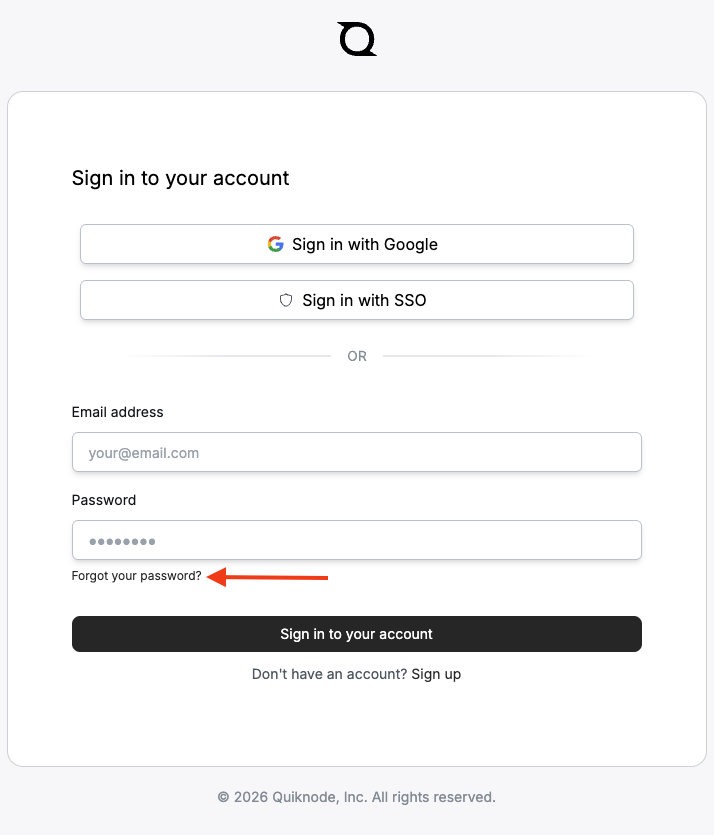
Navigate to https://www.quicknode.com/login/.
Click Forgot your password? below the password field.
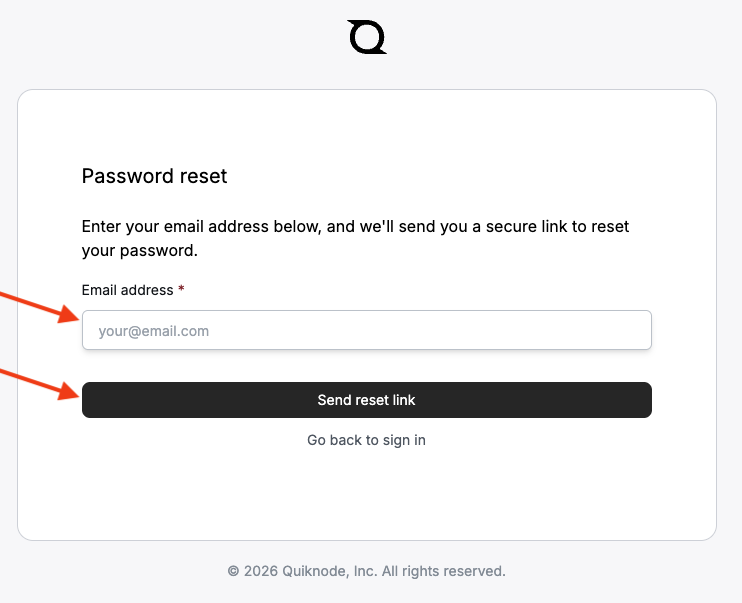
You’ll be taken to the Password reset page. Enter the email address associated with your Quicknode account and click Send reset link.
What happens next?
If an account exists for the email address you entered, you’ll receive an email with instructions on how to reset your password.
If you don’t see the email within a few minutes, be sure to check your spam or junk folder.
🧠 Tip: If you normally sign in using Google Sign-in, you may not have a password set. In that case, try signing in using the same method you originally used to create your account.
Need more help?
If you’re still having trouble resetting your password or no longer have access to your account email, please open a support ticket, and our Support Team will be happy to assist you.